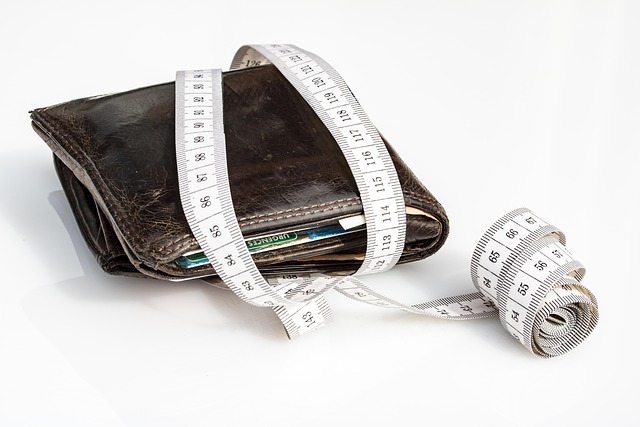


Image by Andrew Khoroshavin from Pixabay
Written by: Mujumbi Paul | Updated March 17, 2026
Ever feel like your paycheck vanishes before you can blink? You're not alone. Many people check their bank account at month's end and wonder where all the money went.
A recent Federal Reserve report shows that 40% of U.S. adults couldn't handle a $400 emergency without borrowing or selling something. Free apps for tracking your spending change that.
They let you see every dollar's path without costing a dime. You get clear insights into your habits, and that builds real control over your money.
The Criteria for Selecting Top-Tier Free Budgeting Apps.
Picking the right free app matters. It should fit your life without adding stress. Look for tools that match your needs, from quick scans to deep dives.
Security and Data Privacy Standards
Good apps protect your info like a vault. They use bank-level encryption to keep hackers out. Two-factor authentication adds another lock, so only you access your data.
Check for apps that follow GDPR or CCPA rules if you're in Europe or California. Reputable ones list their privacy policy upfront. Avoid any that ask for unnecessary permissions, like full camera access without reason.
User reviews often flag weak spots. Read them on app stores to spot real issues. This way, you build trust from day one.
Core Feature Set: Budgeting vs. Tracking
Some apps just log what you spend. Others help you plan ahead with budgets. Tracking shows past moves; budgeting sets future limits.
You need basics like manual entry for cash buys and auto-categorization for bills. Reports on spending by type, like groceries or gas, give quick overviews. Free versions often cap advanced tools, but core ones stay open.
Look for envelope systems that divide your income into pots. Zero-based setups assign every dollar a role. These features turn data into action without extra fees.
User Experience and Platform Availability
A clunky app gets ignored fast. You want simple screens and fast inputs. Swipe to categorize or snap a receipt photo—easy wins.
Most top free apps work on both iOS and Android. That means no device lock-in. Web versions add flexibility for desktop checks.
Free tiers might limit bank links to one or two. Ads pop up sometimes, but they don't block main functions. Test a few to find your fit.
Top Contenders: Best Free Apps for Automatic Transaction Syncing.
Auto-sync pulls in your buys without effort. It connects to banks and updates in real time. This saves hours each week.
These apps shine for busy folks. They spot patterns you might miss. Let's break down the leaders.
App Spotlight 1: NerdWallet
NerdWallet stands out for its solid bank sync. It links to major players like Chase, Wells Fargo, and Bank of America without glitches. You get a dashboard that shows spending trends right away.
Setup takes minutes: download, link your account, and pick categories. It auto-tags most transactions, like coffee runs or rent. For tweaks, edit on the go.
One tip: verify the first sync matches your statements. This catches any import errors early. NerdWallet's free tier keeps it all open, no paywall surprises.
App Spotlight 2: Apps Leveraging Open Banking APIs
Tools like PocketGuard use open banking for safe links. They read your data only, never change it. Updates hit fast, often within hours of a purchase.
PocketGuard's free version syncs one account fully. It flags subscriptions you forgot about. Accuracy stays high because APIs pull direct from banks.
You see pie charts of monthly spends, like 30% on eating out. This helps cut waste quick. No fees mean you test it risk-free.
Limitations of Free Automatic Syncing
Free sync often caps accounts at one or two. More needs a upgrade prompt. Ads appear after logins, but you can close them.
Some banks delay data feeds, so weekend buys show late. Premium pushes appear, but ignore them for basics. If sync fails often, switch to manual entry.
These hurdles beat paper tracking. You still gain speed over nothing at all.
The Best Free Apps for Manual Entry and Detailed Categorization.
Manual apps build awareness. You type each buy, which makes you think twice. They're great for cash users or privacy fans.
These tools let you customize everything. No auto-links mean full control.
The Power User’s Choice: Simplicity in Manual Input
Goodbudget leads for manual fans. Its envelope system splits your budget into virtual jars. Enter spends fast with dropdowns for categories.
You set limits per envelope, like $200 for groceries. Overspend? It alerts you right there. Custom categories fit your life, from pet food to hobbies.
Speed comes from quick-add buttons. No fluff—just your data. This method boosts mindfulness without complexity.
Advanced Tagging and Receipt Capture Features
Money Manager EX offers free receipt snaps. Point your phone, and it stores the image with the entry. Tags let you label buys, like "vacation fund" or "home repair."
For taxes, tag all work-related costs. At year-end, filter them out. One user saved hours pulling receipts for deductions—just export the tagged list.
Custom tags track side gigs too. Add notes on each entry for context. This depth comes free, no upsell.
Creating Custom Financial Reports for Free
Wallet by BudgetBakers generates free CSV exports. Pull monthly reports on spending by category. Open in Excel for charts you build.
Filter by date or type, like last quarter's travel. Share reports via email if needed. No subscription blocks this.
Basic pie charts show in-app. You spot leaks, like too much on streaming. Exports let you dig deeper at no cost.
Free Tools Focused on Specific Budgeting Methods.
Specialized apps match your style. They handle debt or shared costs well. Pick one that aligns with your goals.
Zero-Based Budgeting on a Budget
Goodbudget mimics YNAB's free basics. Assign every dollar to envelopes at pay time. Track as you spend—no leftovers unassigned.
It syncs across devices for couples. Free version holds 10 envelopes, enough for starters. You learn the method without full cost.
Roll over unused funds or adjust mid-month. This builds habits that last. Simple interface keeps you coming back.
Debt Payoff Tracking and Goal Setting
Debt Payoff Planner tracks free with snowball or avalanche methods. List debts, rates, and payments. It shows payoff dates based on your inputs.
Visual bars shrink as you pay. Set milestones, like $1,000 cleared in three months. One tip: log extra payments weekly to speed progress.
It calculates interest saved too. Free exports track your wins. This motivates steady pushes.
Tracking Shared Expenses and Joint Finances
Splitwise handles free shared tracking. You log group buys, like roommate dinners. It splits costs even or by percent.
For couples, invite partners to view. No full sync, but manual entries work. Free version covers basics without ads overload.
Add notes on who owes what. Settle up via linked payments. It cuts money fights simple.
Maximizing Your Free Spending Tracker: Actionable Tips.
Get more from your app with habits. Small steps yield big results. Start today for quick wins.
Establishing Weekly Review Rituals
Set aside 15 minutes Sundays. Open your app and scan new entries.
-
Check uncategorized buys—tag them now.
-
Review budget pace: on track for rent? Adjust if needed.
-
Note trends, like rising gas costs.
This ritual keeps surprises low. You stay ahead each month.
Customizing Notifications for Budget Alerts
Turn on push alerts for category limits. Set $50 for dining out—get a ping at $45.
Flag big buys over $100 too. This stops impulse swipes.
Test tones that grab attention. Quiet vibes work for daily checks. Alerts build discipline without nagging.
Integrating Data with Other Tools
Export CSV files monthly. Paste into Google Sheets for custom graphs.
Add formulas for year-over-year compares. Track net worth basics here.
Free apps link well—no barriers. This mix gives pro-level views at zero extra.
Conclusion: Financial Freedom Starts Without the Subscription Fee.
The right free app puts you in the driver's seat. Auto-sync suits hands-off types; manual builds detail lovers. Either way, you gain clear eyes on your cash flow.
Clarity leads to cuts and savings. No fees mean anyone starts now.
- Download one app today and link or enter your first week's spends.
- Check security settings before full use.
- Set a weekly review—commit for a month to see changes.
- Export data quarterly for bigger pictures.
Pick your tool. Track smart. Watch your finances grow.